


How Store Maps Improve Local SEO Rankings
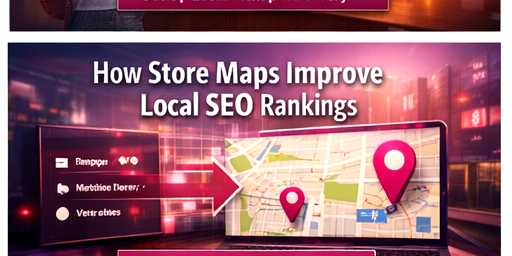
A store map supports local search by helping people identify a real location and understand how to visit it. Pair the map with useful written location details and accessible location pages. A map embed alone does not guarantee higher rankings, and structured data does not guarantee a special appearance in search results.
What should appear beside the map?
Publish the store’s name, complete customer-facing address, opening information, contact details, and a directions link. Add services that matter at that particular location, such as collection or a showroom, only when the store actually offers them. A shopper should be able to understand the destination without relying on the pin or reading text embedded inside an image.
Separate a retail store from a warehouse that does not receive customers. If visitors cannot arrive at a location, avoid presenting it as a place to shop. Explain appointment or access requirements where relevant. The useful test is practical: could a person who has never visited the location decide whether it meets their need and know how to get there?
Create a useful page for each distinct location
A location page should contain information specific to that store. Repeating the same sales paragraph with only a city name changed gives readers little help. Describe the entrance, available services, collection instructions, and contact options that make the destination usable. Keep claims within what the location team can verify, and give someone responsibility for reporting changes.
Link to location pages from the store directory and from relevant site sections. A page that exists only in a sitemap may be technically discoverable but is harder for a visitor to find in context. Use descriptive links such as the store name and area rather than a list of identical Learn more labels. Keep the directory usable on mobile devices.
Keep the website and business profiles consistent
The website directory and Google Business Profile are separate publishing surfaces. A change on one does not prove that the other has been updated. When a store moves or changes hours, review both records and any retailer listings that send customers there. Pay attention to temporary closures and special opening days rather than assuming normal hours apply throughout the year.
Google’s Business Profile guidance covers updating addresses, contact information, and hours. Use the public-facing information the business is eligible to show. Do not create a misleading business profile simply because an internal inventory or fulfillment location exists in a commerce system.
Where does LocalBusiness structured data fit?
Structured data expresses the location information in a machine-readable form. It should describe the same business and location details that a person can find on the page. Google’s LocalBusiness documentation explains supported properties and validation. Choose a suitable business type and validate the markup rather than adding every possible field.
Do not add fabricated ratings, opening hours, or addresses to satisfy a validator. If the business does not have a verified value, leave that property out until the value is available. Search engines decide whether to show an enhanced result. Passing a structured-data test establishes technical eligibility for the tested markup; it is not a promise of rankings, traffic, or a knowledge panel.
Do Shopify locations become public store pages?
Not automatically. Shopify uses locations to manage places where a merchant stocks products, fulfills orders, or sells in person. Its locations documentation describes those operational uses. A public store directory still needs the information and presentation that help customers plan a visit. Decide which operational records are appropriate to publish.
Use a store locator such as RP ProMap to organize customer-facing locations and directions where it fits your requirements. If customers are searching for a particular product, make clear whether the result identifies a retailer that carries the brand or supplies current availability for that item. An inventory record and a location page should not be treated as interchangeable evidence.
Check the page as both a reader and a crawler
Open a location page on a phone and check the address, directions, contact action, and opening details. Try the page without sharing device location. Check that the written information still makes sense if the map takes time to load. A usable fallback helps the customer continue when location permission, connectivity, or the map service is unavailable.
Review the rendered title, heading, canonical URL, and descriptive text as well. Location information placed only inside a third-party map or an image can be harder to interpret. Keep the important details in ordinary page text, give meaningful images appropriate alternative text, and reserve image space so the address and controls do not jump while the page loads.
Measure outcomes without promising a ranking lift
Track the searches and location actions that your current tools support, and review the site’s local search performance over comparable periods. Keep map interactions distinct from visits and sales. A directory update may make the journey clearer even when search position does not change. Investigate wrong addresses, no-result searches, and broken directions before treating a ranking metric as the only measure of success.
The purpose of the map is to help a shopper reach a suitable place. Local search work should reinforce that purpose with accurate location records, relevant links, useful page content, and valid markup. Keep a maintenance checklist so those details remain dependable after the first publication.

 English
 French
 Spanish
 German
 Portuguese
 Italian