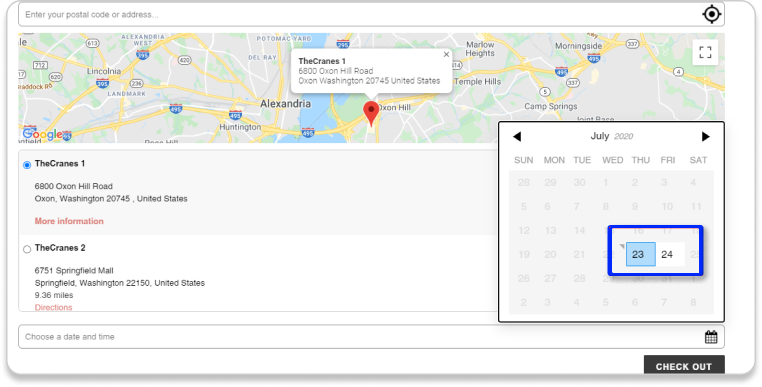
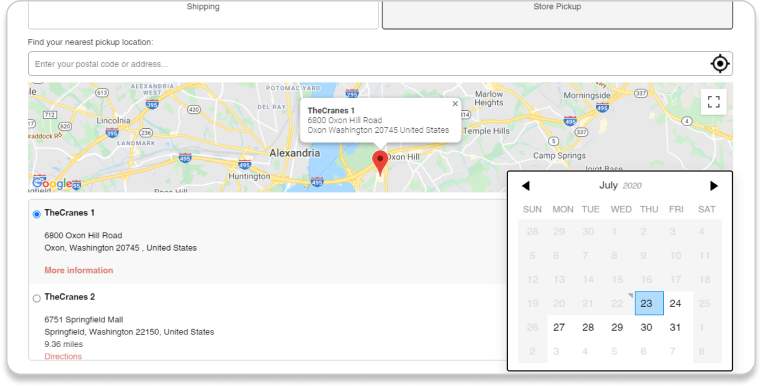
Once you enable this feature, your customers have to choose a date to pick up their orders.You can customize the dates in the Opening hours for Pickup part. In this part, you can set up the Lieferzeit (The time that customers have to check out before the day they want to pickup). For example: Set 1 day 12 hours on Wednesday. Customers have to checkout 1 day 12 hours before Wednesday, so they are able to choose Wednesday for their pick up day.
Turn off Status of the days your store is closed. In this example, we are closed on Saturday and Sunday (Customers can’t pick-up in these 2 days).
Then, the frontend will look as follow:
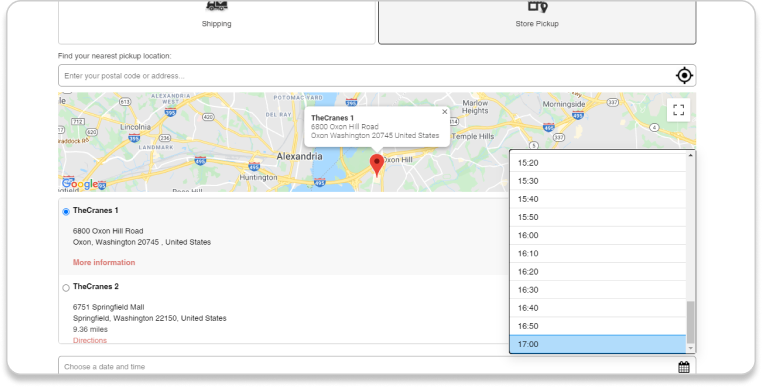
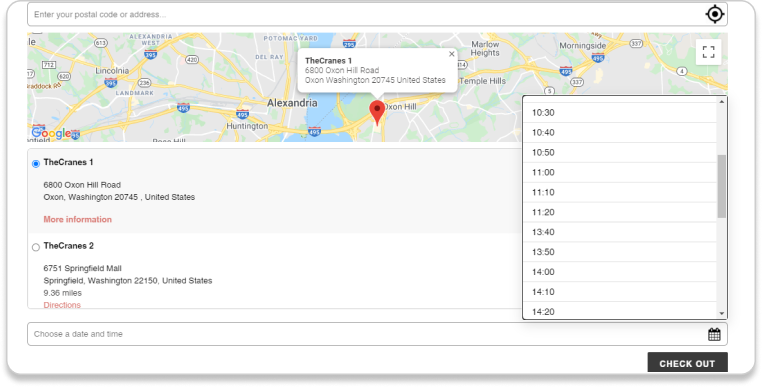
Time Picker Feature Similar to the Date picker feature, if you enable the time picker feature, your customers have to choose the time to pick up their orders. There are 5 Time Picker slots: 10, 15, 20, 30, and 60 minutes. For example: If you choose 10 minutes, time pick up slots for your customers will be: 11h – 11h10 – 11h20 – 11h30 – 11h40 – 11h50 … The frontend will look as follow: Enable Time Picker and you’re able to set Break hours (The time that customers cannot pick-up in that day).
The frontend will look as follow:
Max Date Picker Feature
Turn on this and you only allow your customer to select pick up days from X time back here. You can adjust the specific time period in the Opening hours for Pickup part below. For example: Set Time intervals between Placing an order and Pickup: 3days means customers can only choose pick-up time slots within 3 days from now. The frontend will look as follow: And don’t forget to click on the Speichern und Im Shop veröffentlichen Schaltfläche, nachdem Sie Änderungen in der App vorgenommen haben.
Wenn Sie die Anzahl der Bestellungen begrenzen möchten, die innerhalb eines Zeitfensters aufgegeben werden können, können Sie die Zeitfenster für die Abholung Funktion. Geben Sie anschließend die Anzahl der Zeitfenster ein, die Sie Ihren Kunden zur Verfügung stellen möchten.
Remember to click on the Save and Publish to Shop button after you make any changes in the app.
Um die Funktion „Cutoff“ nutzen zu können, müssen Sie zunächst die Funktion „Date Picker“ aktivieren. Geben Sie Ihre Cutoff-Zeit im Anmeldeschluss Feld und Anzahl der Tage, die Kunden in der Verzögerungstage field. In the example, I set the Anmeldeschluss is 11 AM and the Verzögerungstage is 1, which means all customers who place their orders after 11 AM, just can choose the next day pickup slot.
In case, you want to set more than one pickup rate for your customers, you can use the Pickup rates feature of our app.
This feature requires that you have the Real-time carrier rate feature enabled on your Shopify account.
Free option: You can ask the Shopify support team to update your billing cycle to “Yearly” and the real-time feature will be activated for you with NO CHARGE.
$20/month option: You can ask Shopify support to add the Real-time carrier shipping feature for you. You will be charged $20/month for this.
Upgrade to Advanced Shopify or Shopify Plus: You can change your Shopify plan to “Advance” or “Plus”, the Real-time carrier rate feature will be auto-updated to your shop.
Enable Pickup Rates to set the pickup price condition at a certain price/weight range of the product. → Click + Neuen Tarif hinzufügen Then, enter your rates in the box that shows up. And don’t forget to click on the Speichern und Im Shop veröffentlichen Schaltflächen.








 The frontend will look as follow: