


Table of Contents
You can now setup the operating hours for it to be displayed on the store listings.
Setting Up a Default Operating Hours for ALL Stores #
Setting up default operating hours will automatically display the operating hours for stores that does not have an operating hours setup at the individual store.
- To setup the Default Operating Hours, go to Settings:

- Go to General tab:
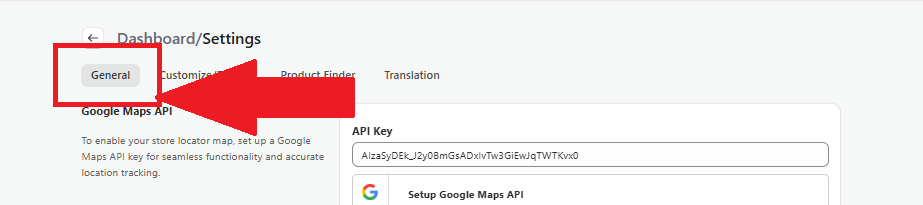
- Locate the Operating Hours section.
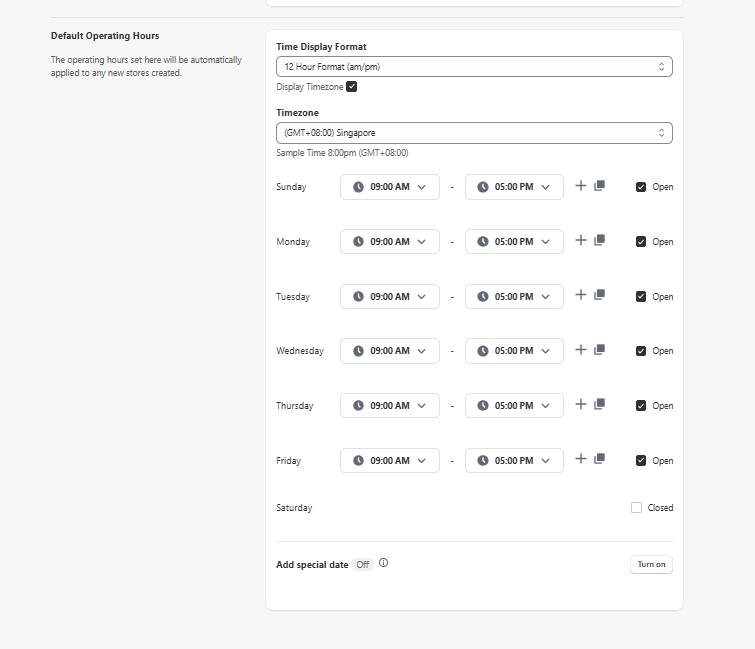
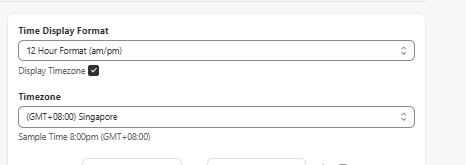
- Select what type of time format you would like to display. You can also have the option of displaying the timezone of the operating hours.
If Display Timezone is ticked, you can configure the timezone of the stores:
- Tick on the checkbox on the day that you want to configure the operating hours
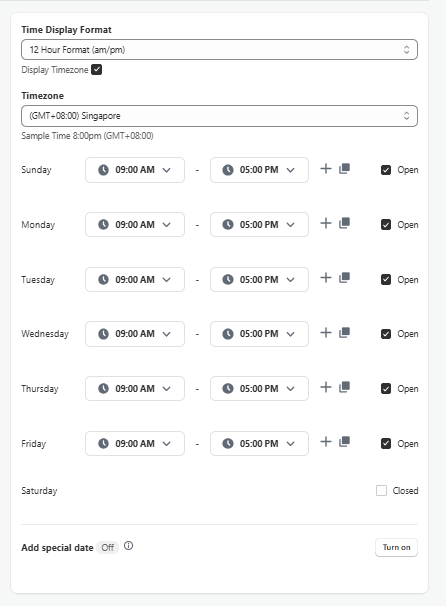
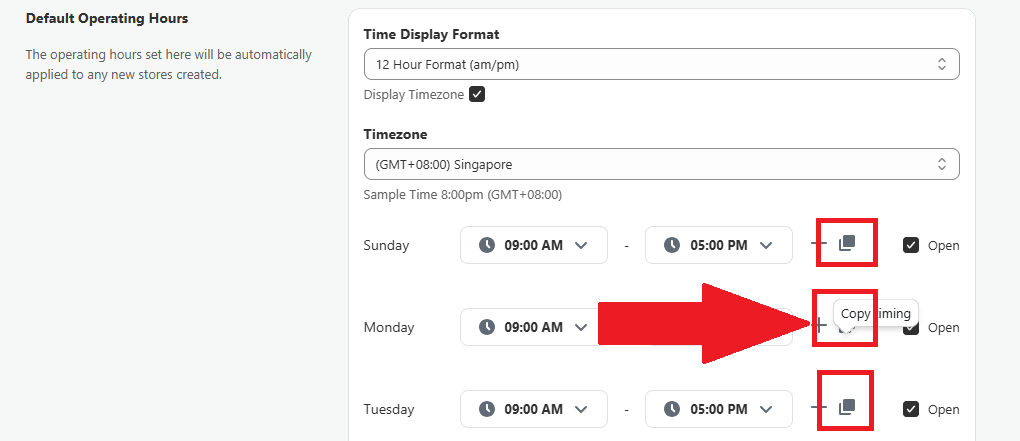
- You can duplicate the operating hours to other days by selecting Copy Timing:
And select which days you want to duplicate the timing to:

- If you have special operating hours/closing time that are different from the normal operating hours for example special operating hours for holidays, you can turn on the Add special date toggle:
And proceed to configure the special operating hours of the date:
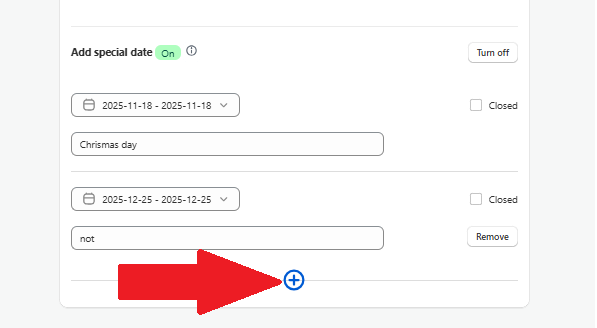
If you have more than 1 dates that you wish to configure, select the + sign to add in more dates:


IMPORTANT NOTE: Please be remember to save the settings at the main page so that the changes will be publish onto your store front.
Setting Up for an Individual Store #
IMPORTANT NOTE: Operating Hours configured at the individual store level will take priority over the default settings.
- To setup Operating Hours for an individual store, go to Store Locations page.

- Select the Edit Location button on the store you wish to setup the operating hours (you can do this too when creating a new location):

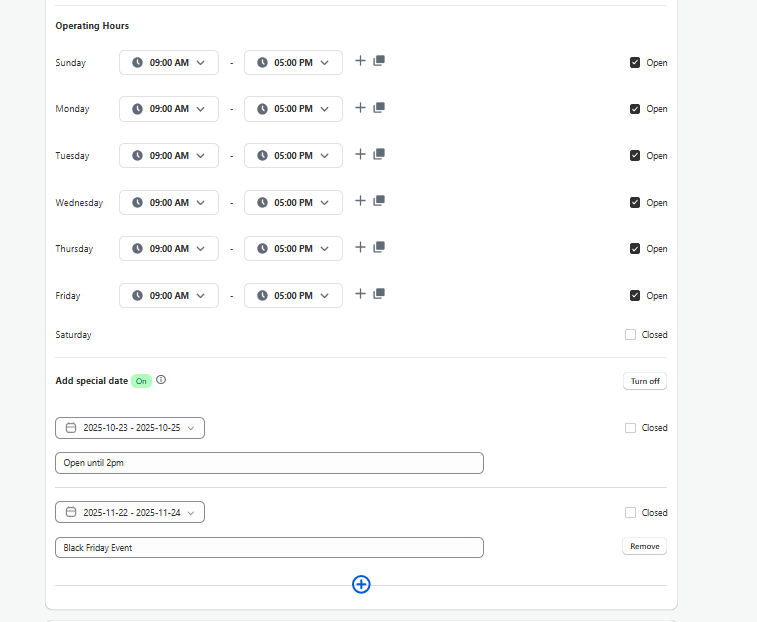
- At the Operating Hours section, configure the operating hours of this store:


 English
  French
  Spanish
  German
  Portuguese
  Italian